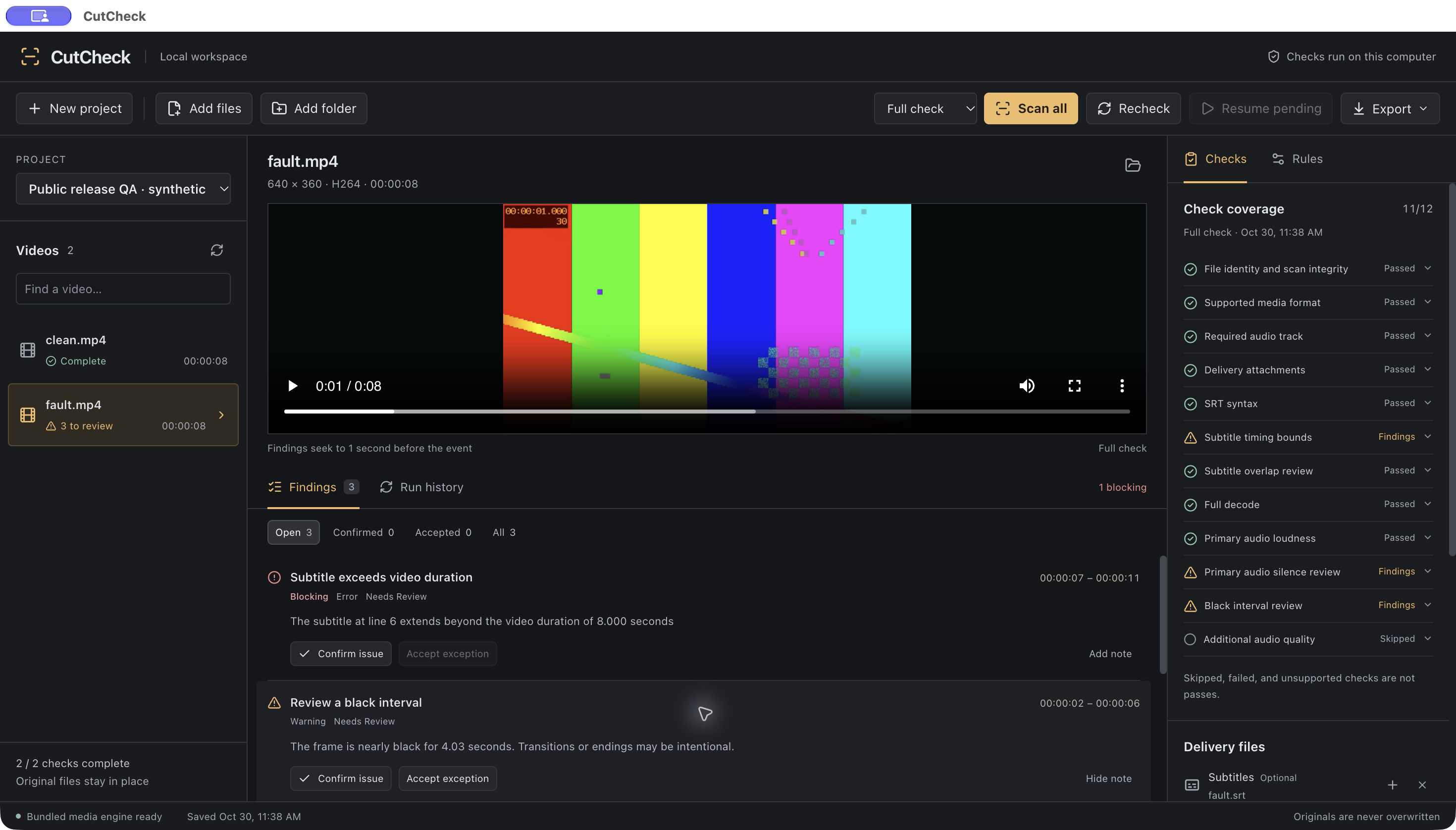
Before recheck
3 to reviewCutCheck flags moments that need a second look.
 View full screenshot
 Local video quality checks for creators and editing teams.
Apple Silicon · macOS 13+ · 0.3.0-beta.2
CutCheck flags moments that need a second look.
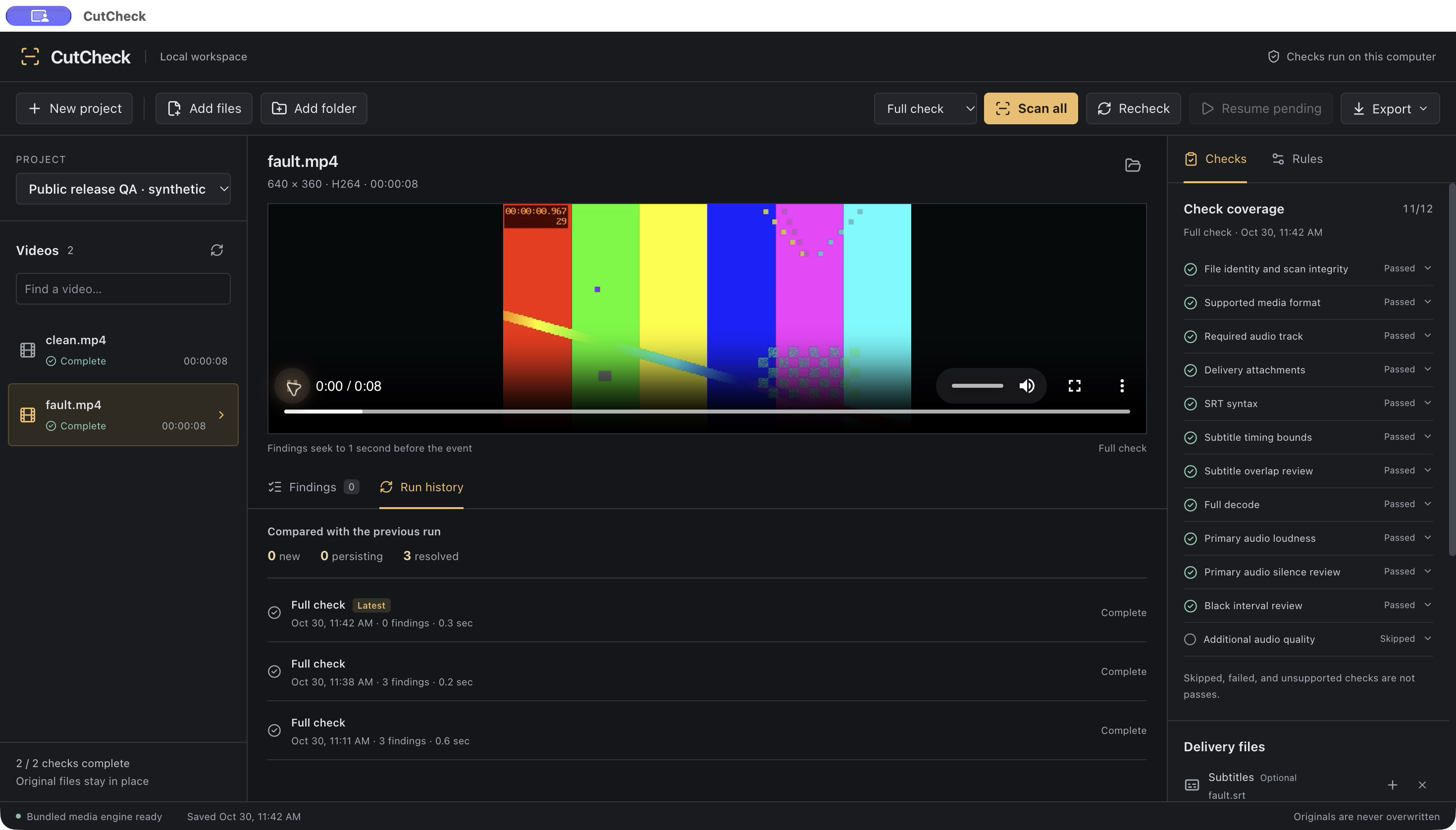
View full screenshot Correct the export, replace it, and run the checks again.
 View full screenshot
 Actual app screenshots · Self-generated test footage
Technical checks on your exported files.
Clear findings for the decisions only you can make.
Check the primary video and all audio tracks for decode errors.
Flag dark frames and quiet stretches for human review.
Measure LUFS and true peak on the primary audio track.
Check syntax, overlapping cues and timing beyond the video.
MP4 with H.264 8-bit SDR video and AAC audio. UTF-8 SRT subtitles up to 10 MiB. Batch import up to 50 videos per project, with matching-name subtitle and cover pairing.
Full check adds decoding and signal analysis. Quick check covers metadata, required files and subtitles. Skipped, failed, unsupported and stale checks remain visible in the report.
Black and quiet intervals can be intentional. Confirm faults or accept non-blocking exceptions with notes. Cover checks verify file presence only. Audio quality analysis uses the primary track.
HEVC, HDR and ProRes are outside this beta’s supported analysis. CutCheck does not check factual or editorial accuracy, subtitle meaning, copyright, or audio/video synchronization. A completed check is not a guarantee of platform acceptance or error-free content. Fixes are made in your existing editor, then checked again with replacement files.
Explore an eight-second sample with deliberately introduced faults.
The Mac app runs the checks; this demo lets you inspect the evidence.
Self-generated video with a test tone. Unmute to hear the quiet interval.
Choose a finding to jump to its timestamp.
A dark interval is a review candidate. Is it an intentional pause or a missing picture?
Add your exported videos. Check the paired SRT and cover files.
Run a full check. Inspect timestamps and record your decisions.
Fix in your editor. Replace files and compare the next run.
Export HTML or JSON with coverage and review decisions.
Share the checks, findings and review decisions behind your delivery. Recheck history shows what changed between recorded runs.
Reports identify files by basename. Source media, subtitle contents and local file paths are not embedded.
Selected technical checks and human review.
Not a certification of error-free content.
Free beta · 0.3.0-beta.2 · 158.5 MB
Apple Silicon Mac · macOS 13 or later
Developer ID signed and Apple notarized.
Publisher shown by macOS: Zhenxing Feng.
Installation and launch were verified on one Apple Silicon Mac. Other hardware and the minimum macOS version have not yet been exercised. Intel Macs and Windows are not supported in this release.
Tell us what happened on your actual delivery. Useful findings, unnecessary warnings, missed issues and install problems all help.
Please include your Mac, macOS version and video format when relevant. Send text you have permission to share; keep source footage, full subtitles and private client details out of this form.
How feedback is handled